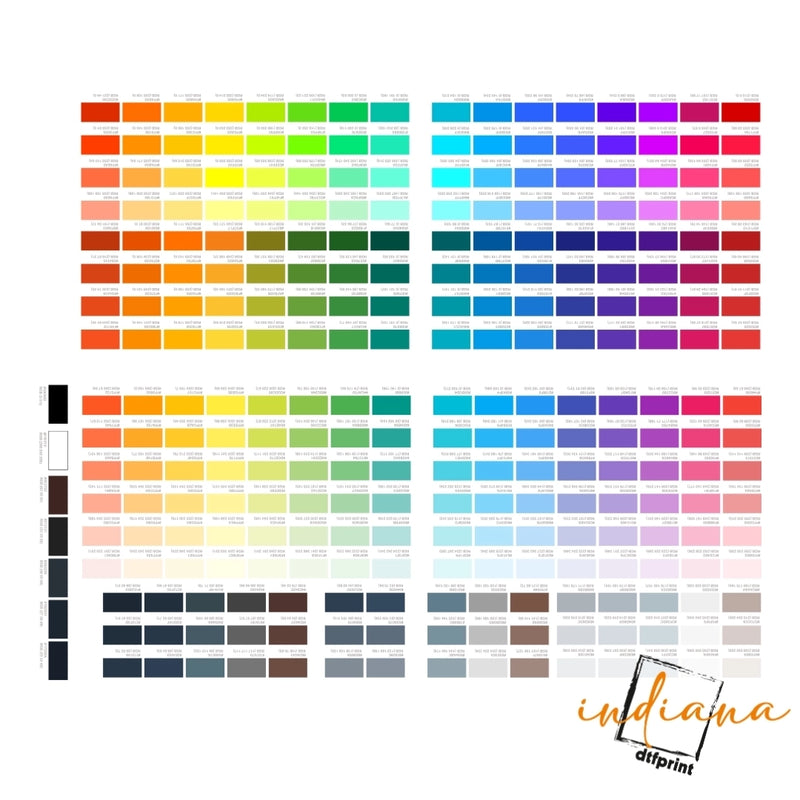



DTF gang sheets work best when each design has plenty of space around it. This allows for cutting, easy handling, and safe pressing. Do not put logos, names, or artwork close together. Leave room between transfers. Keep designs away from the edge of the sheet. Use high resolution files that have transparent backgrounds. If you are ordering shirts, hoodies, team wear, staff apparel or event merchandise, in Indiana Indiana DTF can help you check your layout before you print.
What Is a DTF Gang Sheet?
A DTF gang sheet is one large sheet that holds many Direct to Film transfer designs.
Of ordering one transfer at a time you put multiple designs on the same sheet. This can include logos, front parts of shirts, sleeve prints, labels, names, numbers, pocket prints and small icons.
It is, like packing a suitcase.
You want to use the space but you do not want everything pushed together. If the sheet is too full, cutting and pressing become harder.
Why Do Bleed and Spacing Matter?
Bleed and spacing matter because real cutting is not always perfect.
A tiny shift can happen. A hand cut can lean. A design can sit too close to another design. Then one transfer may get cut into the next one.
That is not fun.
A good DTF gang sheet layout gives each design room to breathe. It also makes the sheet easier to cut, sort, and press.
“Good spacing feels boring until it saves the whole order.”
That is the truth.
What Is DTF Gang Sheet Spacing?
DTF gang sheet spacing is the space between each design on the sheet.
This space helps you cut around each transfer. It also keeps designs from touching each other. Small designs may need less space. Large designs need more room because they are harder to handle.
A clean layout is easier for everyone.
|
Design Type |
Suggested Space |
Why It Helps |
|
Small logos |
Keep clear, cut room |
Easier trimming |
|
Names and numbers |
Leave room between each |
Avoid mixed cuts |
|
Full front prints |
Add more space |
Easier handling |
|
Sleeve prints |
Keep rows clean |
Faster sorting |
|
Neck labels |
Group with space |
Cleaner cuts |
|
Tiny icons |
Avoid crowding |
Prevent loss |
For how to space DTF transfers, think about the person cutting the sheet. If cutting looks stressful, add more room.
What Is DTF Gang Sheet Bleed?
DTF gang sheet bleed means extra print area or extra room near the edge of artwork or sheet boundaries.
In simple words, bleed gives you a little safety space. It helps when a cut is slightly off. It is most helpful when designs have backgrounds, blocks, boxes, or full-color shapes.
Not every DTF design needs a heavy bleed. Many logo transfers with transparent backgrounds only need smart spacing and clean edges. But if your artwork has a full-color area, bleed can help.
How Much Bleed for DTF Transfers?
How much bleed for DTF transfers depends on the artwork and the printer’s file rules.
For most simple transparent designs, the bigger issue is spacing, not bleed. For designs with solid boxes, colored backgrounds, or edge-to-edge art, add a small bleed so trimming does not leave an unwanted edge.
Ask your printer’s rules before you upload. Do not guess.
Indiana DTF’s custom gang sheet page says high-resolution PNG files are recommended for best results, and it accepts PNG files with transparent backgrounds.
What Are DTF Transfer Bleed Settings?
DTF transfer bleed settings are the file setup choices that control extra edge space around artwork.
This may include canvas size, transparent padding, extra background color, or trim space. The goal is simple. Do not let important artwork sit right on the cut line.
If the design has text, keep it inside the safe area. If the design has a border, give it space. If the design has a background block, allow room for trimming.
Small setup step. Big difference.
What Are DTF Gang Sheet Margins?
DTF gang sheet margins are the empty spaces around the outside edge of the full gang sheet.
Margins help keep artwork away from sheet edges. If a design is too close to the edge, it may be harder to cut or handle.
Think of margins like the frame around a picture.
The picture looks better when it is not pressed against the frame.
What Is a DTF Gang Sheet Safe Zone?
A DTF gang sheet safe zone is the inner area where your important artwork should stay.
Keep names, numbers, faces, logos, and fine text inside this safe area. Do not put important details at the outer edge of the design or sheet.
A safe zone is not wasted space. It is protection.
It gives your design a better chance to come out clean after cutting and pressing.
How to Make a DTF Gang Sheet
How to make a DTF gang sheet starts with knowing what you need to print.
Gather your designs first. Know the size of each print. Keep front prints, sleeve prints, names, and labels organized. Use transparent PNG files when possible.
Indiana DTF’s manual gang sheet builder page says PNG files with transparent backgrounds are accepted for best results, and the builder helps reduce material waste while creating high-quality prints.
Simple gang sheet setup steps
- Choose your sheet size.
- Upload clean PNG artwork.
- Size each design correctly.
- Leave space between designs.
- Keep artwork away from sheet edges.
- Group similar designs together.
- Check the layout before ordering.
This is the easiest way to start DTF gang sheet optimization without making the file hard to use.
How to Layout a DTF Gang Sheet
How to lay out a DTF gang sheet is about order and spacing.
Put large designs first. Then fill open spots with smaller designs. Keep similar items in rows. Keep names and numbers grouped. Do not rotate tiny text in odd directions unless you need to save space.
Use the sheet well, but do not overpack it.
A crowded gang sheet may save a few inches. It can cost time later when cutting.
How to Space DTF Transfers for Easy Cutting
How to space DTF transfers depends on how you will cut them.
If you cut by hand, leave more space. If the designs are tiny, leave space so they do not get lost. If you are cutting many names, keep the names in clean rows.
Cutting should feel simple.
Not like surgery.
If you need to label pieces after cutting, leave enough room to keep the order clear.
Common Gang Sheet Layout Mistakes
Small layout mistakes can cause big headaches.
The most common mistakes are placing designs too close together, pushing art to the sheet edge, using blurry files, adding hidden backgrounds, and mixing many tiny pieces without a plan.
|
Mistake |
What Happens |
Simple Fix |
|
Too little spacing |
Hard to cut |
Add clear gaps |
|
No margins |
Edge risk |
Move art inward |
|
Tiny text |
Hard to read |
Make text larger |
|
Low-res art |
Blurry prints |
Use high-res PNG |
|
Hidden background |
Prints unwanted box |
Use transparent PNG |
|
Random layout |
Hard to sort |
Group by order |
A good DTF gang sheet layout is clean, clear, and easy to use after printing.
How Indiana Sellers Use DTF Gang Sheets
Indiana sellers use gang sheets for school shirts sports teams, church events, small brands, staff uniforms, boutique drops and family reunions.
Think Fishers team names, Carmel boutique logos, Greenwood church shirts, Noblesville school spirit wear, Avon staff shirts and Indianapolis event merch.
STATS Indiana lists Indianapolis Consolidated as the city in the Indianapolis-Carmel-Greenwood metro area with a 2025 population of 910,638. STATS Indiana is maintained by the Indiana Business Research Center, at Indiana University’s Kelley School of Business.
That means local sellers need clean, repeatable print setups.
Gang sheets help with that.
What Business Rules Should Sellers Know?
If you sell printed apparel in Indiana keep the basics clean.
Use artwork that you own artwork that you have a license, for or artwork that the customer has approved. If you print a school logo, a business logo, a team mark or any brand design make sure the buyer has the right to use it.
The Indiana Department of Revenue says businesses can register to collect sales tax and get a Registered Retail Merchant Certificate through INBiz.
Not legal advice. Just smart shop practice.
Conclusion
A DTF gang sheet should be easy to print, cut, sort, and press.
Leave space between designs. Keep artwork away from edges. Use clear margins. Keep important details inside the safe zone. Use high-resolution PNG files with transparent backgrounds.
Do not crowd the sheet just to save a tiny bit of space.
A clean layout saves time, protects the artwork, and makes the whole job feel smoother.
FAQs
What is a DTF gang sheet?
A DTF gang sheet is one large transfer sheet that holds many designs, such as logos, names, numbers, sleeve prints, and shirt fronts.
How much spacing should I leave on a DTF gang sheet?
Leave enough spacing so each design can be cut without touching the next one. Hand cutting usually needs more space.
What is DTF gang sheet bleed?
DTF gang sheet bleed is extra edge space used to protect artwork when trimming or cutting is slightly off.
Do all DTF transfers need bleed?
No. Simple transparent designs may not need much bleed, but designs with backgrounds, blocks, or borders may need extra edge space.
What is a DTF gang sheet safe zone?
A DTF gang sheet safe zone is the area where important artwork should stay so it is not too close to the sheet edge or cut line.
How do I lay out a DTF gang sheet?
Start with large designs, fill open spots with smaller designs, leave spacing, keep margins, and group similar items together.
What file type is best for DTF gang sheets?
A high-resolution PNG with a transparent background is usually a strong file choice for DTF gang sheets.
Why should I avoid crowding a DTF gang sheet?
Crowding makes cutting harder and increases the chance of cutting into another design or losing small pieces.


