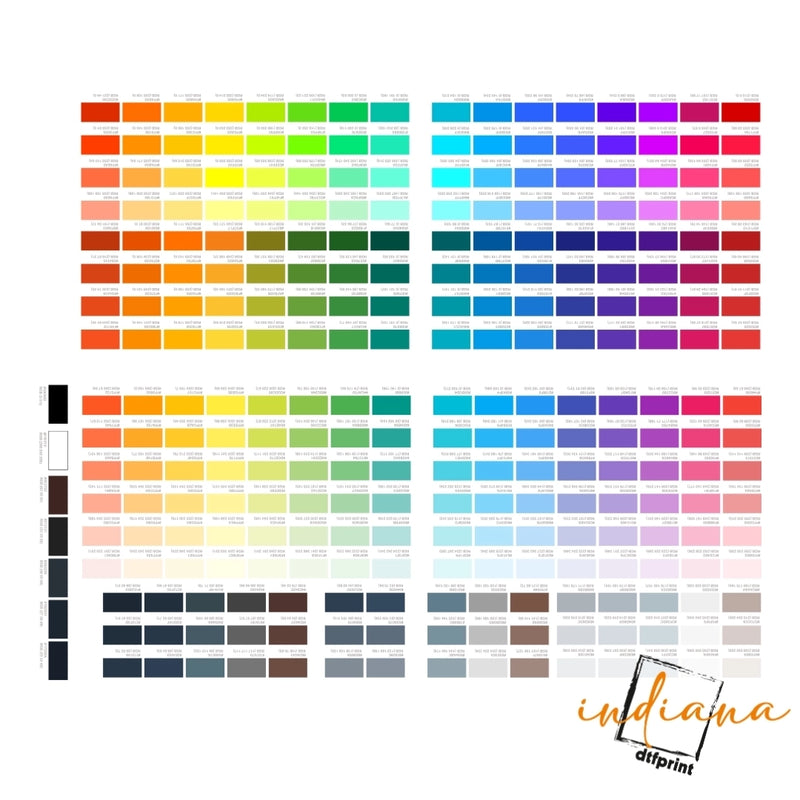



A DTF gang sheet should be organized by placing the largest designs first, grouping similar items, leaving enough cutting space, and filling open areas with smaller logos, labels, names, or sleeve prints. The goal is simple: fit more artwork without making the sheet hard to cut, sort, or press. If you are planning team shirts, school apparel, boutique drops, uniforms, or repeat customer orders, Indiana DTF can help you set up a clean layout before you order.
How to Maximize Space on a DTF Gang Sheet
How to organize a DTF gang sheet starts with real print sizes. Do not guess from a phone screen.
A DTF gang sheet builder helps you upload, resize, duplicate, arrange, and preview artwork before checkout.
How to fit multiple designs on a gang sheet works best when large prints go down first, and small designs fill the gaps.
DTF gang sheet placement matters because poor spacing can waste film, slow cutting, and mix up designs.
Why Gang Sheet Organization Matters
A messy sheet costs time.
Not always money at first glance. But time? Oh yeah.
If logos are too close, cutting gets stressful. If names and numbers are scattered everywhere, sorting takes longer. If full-front prints sit in random spots, the order feels harder than it needs to be.
We have seen clean artwork turn into a cutting-table headache because the layout had no plan. It happens. The fix is boring but powerful: organize before you print.
What Is a DTF Gang Sheet?
A DTF gang sheet is one larger Direct to Film transfer sheet that holds several designs in one layout.
You can place front prints, back prints, left-chest logos, sleeve marks, neck labels, names, numbers, and small extras on the same sheet. Then you cut each piece apart before pressing.
Indiana DTF’s gang sheet builder page describes an online gang builder made to simplify creating a gang sheet for Direct to Film printing needs.
What Should Go on One Gang Sheet?
A sheet should hold designs that belong together.
That may mean one customer order, one team batch, one apparel drop, or one reorder set. Mixing too many unrelated jobs can work, but it can also create sorting chaos.
|
Design Type |
Best Placement Strategy |
Why It Helps |
|
Full front prints |
Place first |
They use the most space |
|
Back prints |
Group by size |
Easier to cut and sort |
|
Left-chest logos |
Use rows |
Clean repeat layout |
|
Sleeve prints |
Fill narrow gaps |
Saves space |
|
Names and numbers |
Group by person or team |
Prevents mix-ups |
|
Neck labels |
Fill small open areas |
Uses leftover space |
A good layout should make sense before anyone touches scissors.
How Do You Organize a DTF Gang Sheet?
How to organize a DTF gang sheet is part math, part shop sense.
Start with the biggest artwork. Place it on the sheet first because it controls the layout. Then add medium designs. After that, fill gaps with smaller logos, tags, or labels.
Simple layout process
- List every design you need.
- Write the final width and height for each one.
- Place the biggest designs first.
- Group similar designs together.
- Leave room for cutting.
- Fill open areas with small pieces.
- Preview the full sheet before ordering.
That is the cleanest process. No fancy trick. Just order.
How Do You Arrange Designs on a Gang Sheet?
How to arrange designs on a gang sheet depends on how the order will be cut and pressed.
If all designs are for one shirt, keep them near each other. If you have 20 left-chest logos, keep them in rows. If you have names and numbers, group them by player, size, or garment.
Do not rotate designs just to save a tiny strip of film unless the sheet will still be easy to cut.
“Saving half an inch is not worth losing one logo.”
That line belongs above every design desk.
How Do You Fit Multiple Designs on One Gang Sheet?
Multiple designs on one gang sheet can save space when the artwork is planned.
The trick is to treat the sheet like a moving box. Big items go in first. Medium pieces go around them. Small items fill the corners.
This is where how to fit multiple designs on a gang sheet becomes less about stuffing and more about balance.
Good spacing beats tight packing. If two designs touch or almost touch, the cut can get ugly fast.
What Is the Best Gang Sheet Layout?
The best gang sheet layout is the one that fits the artwork and makes production easier.
For bulk logos, rows work well. For mixed apparel, zones work better. For team orders, group names and numbers together. For boutique drops, keep each design variation in its own section.
|
Layout Style |
Best For |
Watch Out For |
|
Row layout |
Logo repeats |
Keep spacing even |
|
Zone layout |
Mixed customer orders |
Label sections clearly |
|
Size-based layout |
Adult, youth, toddler sets |
Avoid mixing sizes |
|
Product-based layout |
Shirts, hoodies, sleeves |
Group by garment type |
|
Reorder layout |
Repeat customers |
Save notes and files |
The best layout is not always the tightest one. It is the one you can use without swearing later.
How Can a Gang Sheet Builder Help?
A gang sheet builder helps you arrange artwork without building the whole sheet from scratch in design software.
You can upload designs, resize them, duplicate repeats, move pieces around, and preview the full layout. That makes it easier to catch spacing problems before checkout.
A DTF gang sheet builder is especially useful when you need several logo sizes, many repeats, or a mixed order with front prints, sleeves, and labels.
When Should You Upload a Custom DTF Gang Sheet?
A custom DTF gang sheet is a good choice when you already built the full layout in design software.
This works well for experienced designers, shops with repeat workflows, or sellers who need strict control over every inch. Indiana DTF’s custom gang sheet page notes that users can use design software or a custom builder to help with arrangement.
Use the builder if you want easier layout control. Upload a finished sheet if your file is already print-ready.
What File Setup Works Best?
A clean DTF gang sheet design starts with clean artwork.
Use high-resolution files. Keep transparent backgrounds transparent. Remove hidden boxes. Check real print dimensions. Name files clearly. Group design versions by size.
A DTF transfer gang sheet with poor file setup can create blurry prints, wrong sizing, wasted space, and extra back-and-forth.
Artwork setup checks
Before ordering, check size, background, edge cleanup, spelling, color visibility, spacing, and duplicates. If a logo needs to print 4 inches wide, set it that way before layout. Do not trust eyeballing.
This little check saves real pain.
How Do You Maximize Gang Sheet Space Without Overcrowding?
To maximize gang sheet space, use small designs to fill gaps after large prints are placed.
Pocket logos, sleeve graphics, neck labels, small brand marks, care icons, and test pieces can fit into open areas. But crowding is not smart. Leave enough room for clean cutting.
A packed sheet that no one can cut is not efficient. It is just stressful.
Indiana Order Planning Examples
Indiana apparel buyers rely on gang sheets for school spirit wear youth sports gear, contractor uniforms, boutique drops, church events, restaurant staff shirts and festival merchandise.
Think Fishers team apparel, Carmel boutique sweatshirts, Greenwood volunteer shirts, Avon contractor tees, Noblesville market merch and Indianapolis event staff apparel.
STATS Indiana lists the Indianapolis metro counties, as Boone, Hamilton, Hancock, Hendricks, Johnson, Madison, Marion, Morgan and Shelby with Indianapolis Consolidated shown as the city at a 2025 population of 910,638.
That local order volume makes organized layouts useful. Repeat customers, team names, staff shirts, and event batches all get easier when the sheet is not a mess.
Business and Artwork Rules to Keep in Mind
Use artwork you own, licensed artwork, or customer-supplied files with permission. The U.S. Copyright Office explains that copyright protects original works once they are fixed in a tangible form of expression.
If you sell decorated apparel in Indiana, know the sales tax basics. The Indiana Department of Revenue says businesses selling goods or tangible personal property need to register to collect seven percent sales tax and receive a Registered Retail Merchant Certificate.
Not legal advice. Just clean shop practice.
Conclusion
A clean DTF gang sheet starts with layout discipline.
Place big designs first. Group similar prints. Keep names and numbers together. Fill gaps with small artwork. Leave cutting room. Use a builder when you need help, and save the final layout for reorders.
The goal is not to cram. The goal is to organize.
FAQs
What is the best way to organize a DTF gang sheet?
The best way to organize a DTF gang sheet is to place large designs first, group similar artwork, leave cutting space, and fill open areas with smaller designs.
How do I arrange designs on a gang sheet?
Arrange designs by size, garment type, customer order, or print location so the sheet is easier to cut, sort, and press.
Can I put multiple designs on one gang sheet?
Yes. You can put multiple designs on one gang sheet, including front prints, logos, sleeves, names, numbers, and labels.
How do I maximize gang sheet space?
Maximize gang sheet space by placing large designs first, filling gaps with smaller artwork, and avoiding wasted corners while still leaving cutting room.
Should I use a DTF gang sheet builder?
Yes. A DTF gang sheet builder helps you upload, resize, duplicate, arrange, and preview designs before ordering.
What is a custom DTF gang sheet?
A custom DTF gang sheet is a finished layout made with your own artwork sizes, spacing, repeats, and design arrangement.
What file setup works best for DTF gang sheets?
High-resolution artwork with transparent backgrounds, clean edges, correct sizing, and clear file names works best for DTF gang sheets.
How much space should I leave between designs?
Leave enough space to cut each design without touching the print. The exact spacing depends on your cutter, artwork shape, and comfort level.


